In addition to converting between a selected pair of units, EngiLab Units can instantly compute the equivalent value in every unit of the chosen category. This feature provides a complete overview of how a quantity is expressed across all relevant units.
To use it, simply enter the input value, select the input unit, and click the “Calculate all outputs” button. The program will generate a table containing the converted value for every unit in the category.
Below is an example using a value of 150 miles per hour in the Speed / Velocity category. With a single click, all 22 speed units are computed and displayed.
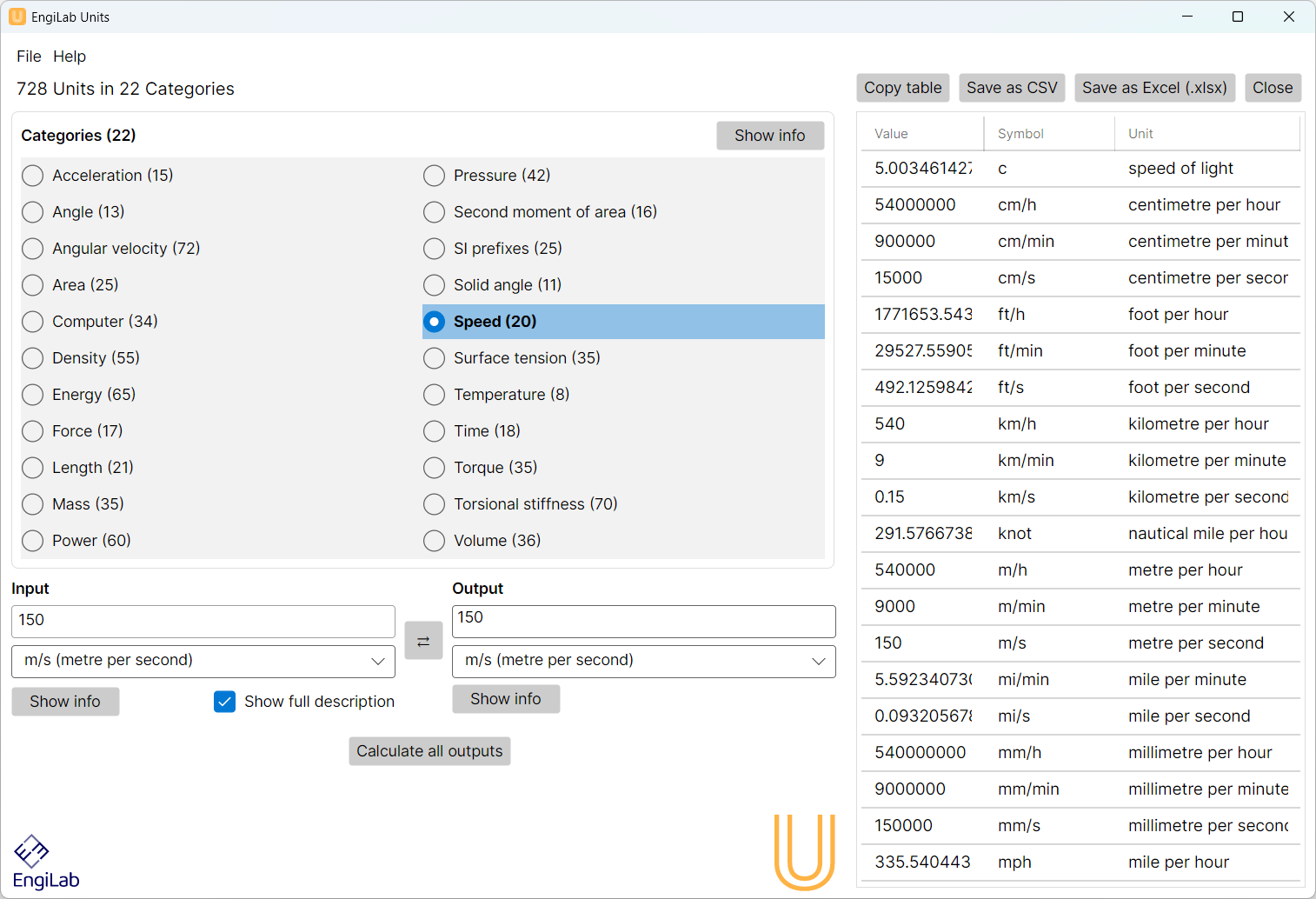
Working with the Results Table
When the table is displayed, four additional buttons appear at the top of the window. These allow the user to export or work with the results:
1. Copy table
Copies all rows of the results table to the clipboard. The user can then paste the data directly into applications such as Excel, Word, or text editors.
2. Save as CSV
Saves the entire table in CSV (comma-separated values) format. This is ideal for importing into spreadsheet software, databases, or data analysis tools.
3. Save as Excel (.xlsx)
Exports the results directly into a Microsoft Excel file. This is useful when the user wants to store results, create plots, or perform further processing in Excel.
4. Close
Closes the results (right) window and returns to the main interface.